sahipick
🔌 Hardware & Gadgets

Best Graphics Tablets Under ₹10,000 in India 2026

Updated 4 August 2026 5 picks India-focused
  • Spec-verified
  • India-pricing checked
  • In-stock filtered
  • Editorial picks only
Editor's pick

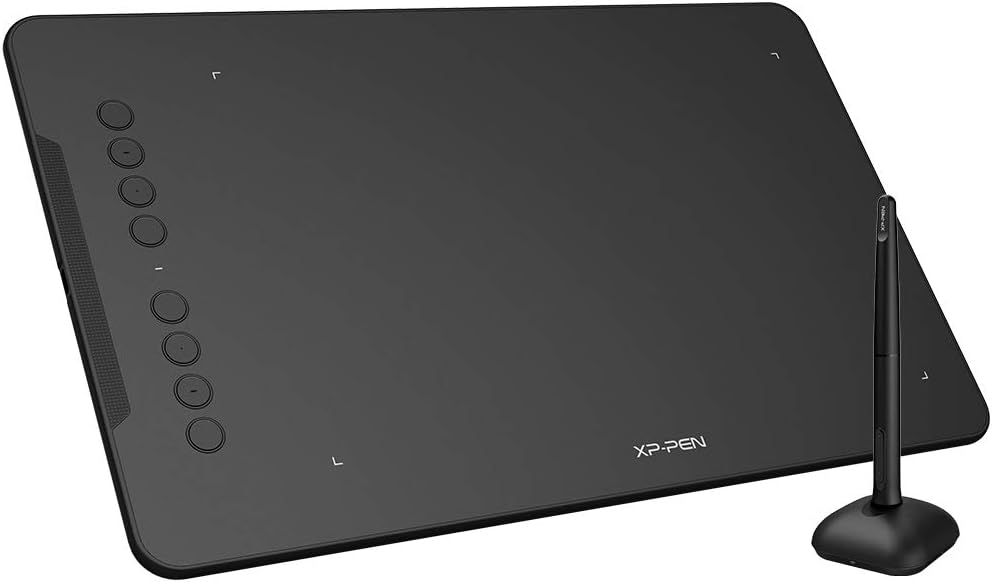
XP-PenXP-Pen Deco 01 V2 Graphics Drawing Tablet

A large 10 x 6.25-inch drawing tablet with 8192 levels of pressure sensitivity and a battery-free P05 stylus, making it the value flagship for serious art under ₹10,000. The big active area gives your wrist room to sweep full, natural strokes instead of cramped little movements, so long curves come out clean on the first pass. Eight customisable shortcut keys, 60-degree tilt support, and Android/Windows/Mac compatibility make it a genuine studio setup for commissions, illustration and online teaching.

  • Large 10 x 6.25-inch active area lets you draw full, natural arm strokes
  • Battery-free pen with 8192 pressure levels - nothing extra to charge
  • 60-degree tilt support for natural shading and inking
No live offerCompare 5 ↓
XP-Pen XP-Pen Deco 01 V2 Graphics Drawing Tablet

Watch in 8 formats

Same picks. Same evidence. Faster.

30-second pitch All picks, summarized

At a glance

Our picks, in detail

1
XP-Pen XP-Pen Deco 01 V2 Graphics Drawing Tablet
Top pick

XP-Pen XP-Pen Deco 01 V2 Graphics Drawing Tablet

A large 10 x 6.25-inch drawing tablet with 8192 levels of pressure sensitivity and a battery-free P05 stylus, making it the value flagship for serious art under ₹10,000. The big active area gives your wrist room to sweep full, natural strokes instead of cramped little movements, so long curves come out clean on the first pass. Eight customisable shortcut keys, 60-degree tilt support, and Android/Windows/Mac compatibility make it a genuine studio setup for commissions, illustration and online teaching.

  • Large 10 x 6.25-inch active area lets you draw full, natural arm strokes
  • Battery-free pen with 8192 pressure levels - nothing extra to charge
  • 60-degree tilt support for natural shading and inking
  • Larger footprint needs proper desk space
  • No on-screen display - it is a pen tablet, not a pen display
  • Commission artists and illustrators who need clean lines fast
  • Digital painters who want a large drawing surface under budget
  • Online teachers annotating and drawing on screen
approx · varies by merchant
No live offer
2
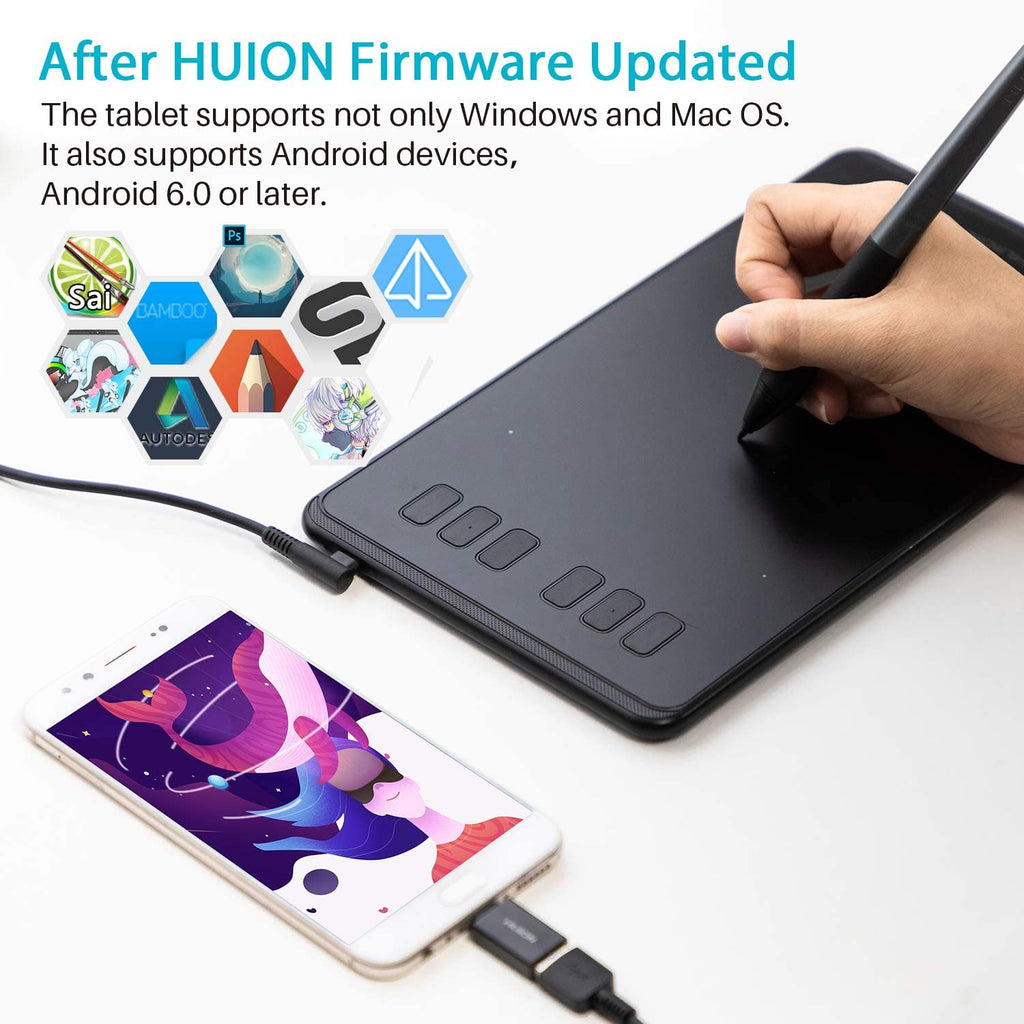
Huion Huion Inspiroy H640P Graphics Drawing Tablet
Runner-up

Huion Huion Inspiroy H640P Graphics Drawing Tablet

A compact 6.3 x 3.9-inch tablet with a battery-free stylus, 8192 pressure levels and 6 customisable hot keys - the reliable, affordable entry that punches far above its price. It plugs straight into Android phones as well as Windows, Mac and Linux, so students and note-takers can get pressure-sensitive ink without a big desk or a big spend. Lightweight and slim, it is the easy yes for anyone testing the pen-tablet waters who still wants strokes that look professional.

  • Excellent value - one of the cheapest credible pressure-sensitive tablets
  • Battery-free pen with 8192 pressure levels
  • Connects to Android phones as well as PC and Mac
  • Small active area limits very large sweeping strokes
  • Fewer shortcut keys than larger tablets
  • Students taking handwritten digital notes
  • Beginners trying their first graphics tablet on a tight budget
  • Android users who want pen input on the phone or laptop
approx · varies by merchant
No live offer
3
Pick

XP-Pen XP-Pen Star G640 Drawing Tablet

A slim, ultra-light 6 x 4-inch tablet with a battery-free stylus and 8192 pressure levels, hugely popular with OSU! players and absolute beginners. It is one of the most affordable real pressure-sensitive tablets you can buy, yet the pen tracks smoothly enough for clean sketching and handwriting. Plug-and-play simple on Windows, Mac and Android, it is the friction-free starter that proves you can ditch the mouse for almost nothing.

  • Very affordable entry into pressure-sensitive drawing
  • Extremely thin and light - 6mm, easy to carry
  • Battery-free pen with 8192 pressure levels
  • Small active area
  • No shortcut keys
  • First-time buyers testing if a tablet suits them
  • OSU! players and casual sketchers
  • Students wanting the cheapest credible pen input
approx · varies by merchant
No live offer
4
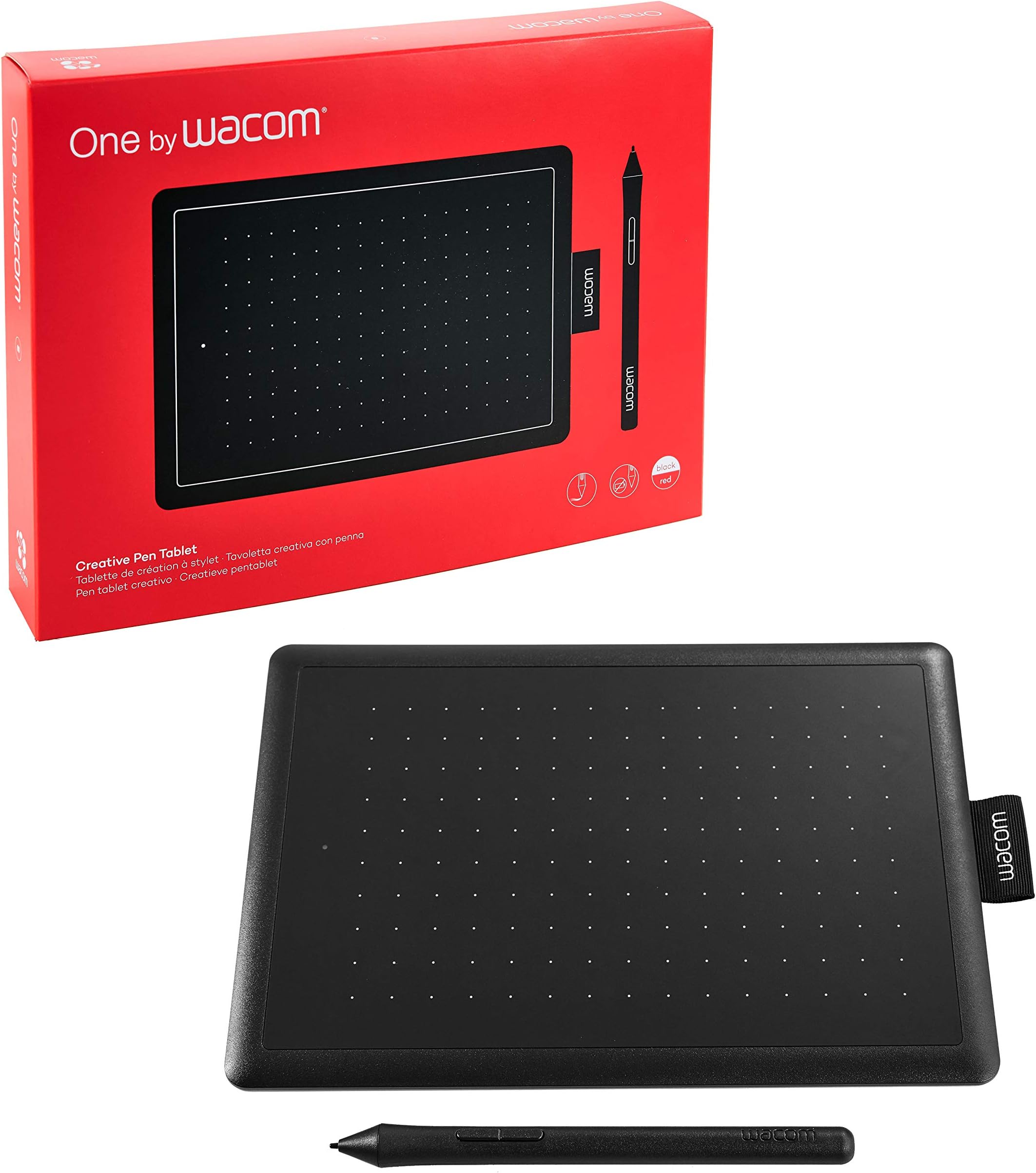
Wacom One by Wacom CTL-472 Drawing Tablet (Small)
Budget

Wacom One by Wacom CTL-472 Drawing Tablet (Small)

The trusted Wacom name in a genuinely affordable 6 x 3.5-inch tablet, with a battery-free, pressure-sensitive pen and rock-solid drivers that simply work. Pressure levels are lower than the XP-Pen and Huion rivals, but Wacom's legendary pen feel and reliability make it the safe, no-fuss choice - especially for note-taking, signing documents and online teaching. If you want a brand you have heard of and zero driver drama, this is the dependable budget buy.

  • Trusted Wacom build quality and famously stable drivers
  • Battery-free pen - nothing to charge
  • Compact and beginner-friendly
  • Only 2048 pressure levels - lowest in this list
  • Small active area
  • Buyers who want the reassurance of the Wacom brand
  • Note-takers, teachers and document signers
  • Beginners who prioritise reliability over high pressure specs
approx · varies by merchant
No live offer
5
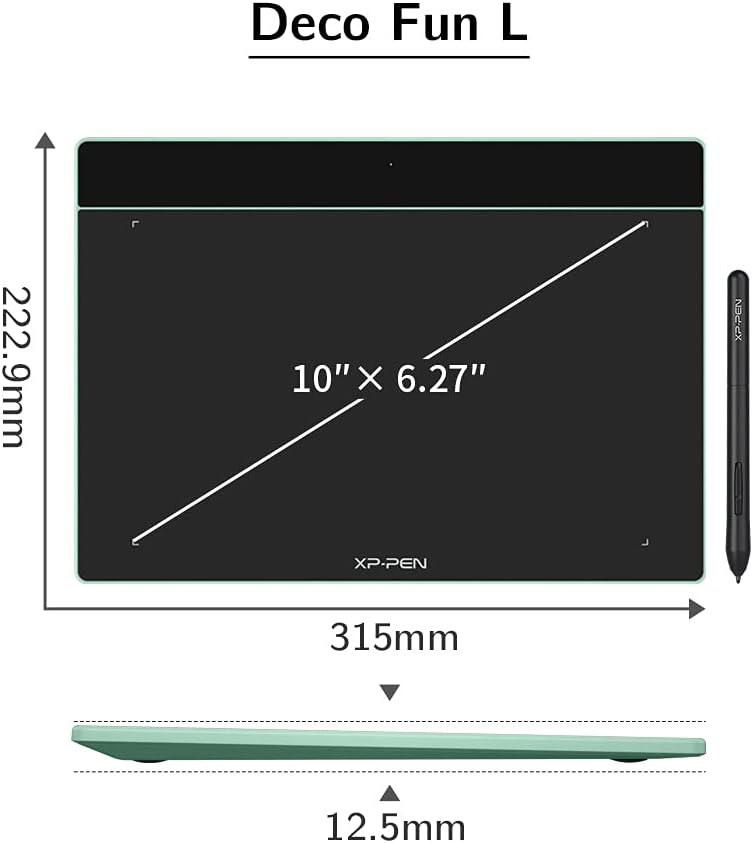
XP-Pen XP-Pen Deco Fun L Graphics Drawing Tablet
Premium

XP-Pen XP-Pen Deco Fun L Graphics Drawing Tablet

A large-format tablet with roughly a 10 x 6-inch active area, a battery-free stylus and 8192 levels of pressure, built for artists who want maximum drawing room while staying under ₹10,000. The generous surface and smooth pen make long inking sessions comfortable and confident, so jagged, hesitant lines become a thing of the past. Lightweight, colourful and compatible with Windows, Mac, Android and Chromebook, it is a roomy, modern upgrade for anyone outgrowing a tiny pad.

  • Large active area for full, comfortable arm movements
  • Battery-free pen with 8192 pressure levels
  • Wide compatibility including Android and Chromebook
  • Fewer physical shortcut keys than the Deco 01 V2
  • No tilt support on the stylus
  • Artists who want the biggest drawing surface under budget
  • Chromebook and Android creators
  • Illustrators upgrading from a small starter tablet
approx · varies by merchant
No live offer

How we picked

Deterministic ranking formula: 30% use-case fit · 25% trust (rating × log of reviews) · 20% commercial signal · 15% content quality · 10% availability. We never accept payment to promote.

For more, see our full methodology.

Last updated 4 August 2026 · Sources mined from Reddit, YouTube, Indian tech blogs · Includes affiliate links · #ad